
Sizes are typed in centimetres, on the product itself in Shopify — not in TellShip. Wherever you type them, they land in the same three fields, so nothing has to be kept in step.
One product
Open Products in Shopify, pick the product, and scroll to Variant metafields. The three TellShip fields are there, next to any other fields your store keeps:
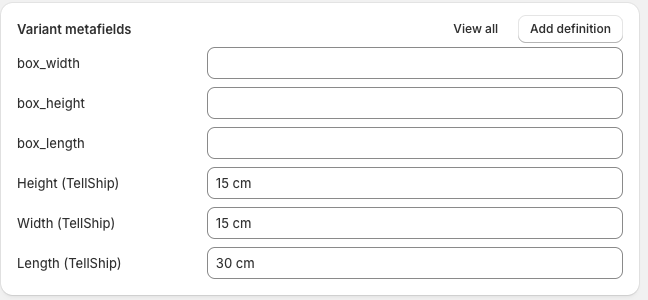
Type Length, Width and Height in centimetres and press Save — done. Shopify tells TellShip within a second or two, whoever typed it and wherever they typed it; nothing needs a refresh or a re-sync.
A product with several variants keeps a set per variant, because the box a size names is the variant's — a king quilt and a cot quilt do not share one.
Many products
Everything else lives on Shipping → Packaging → Product dimensions:
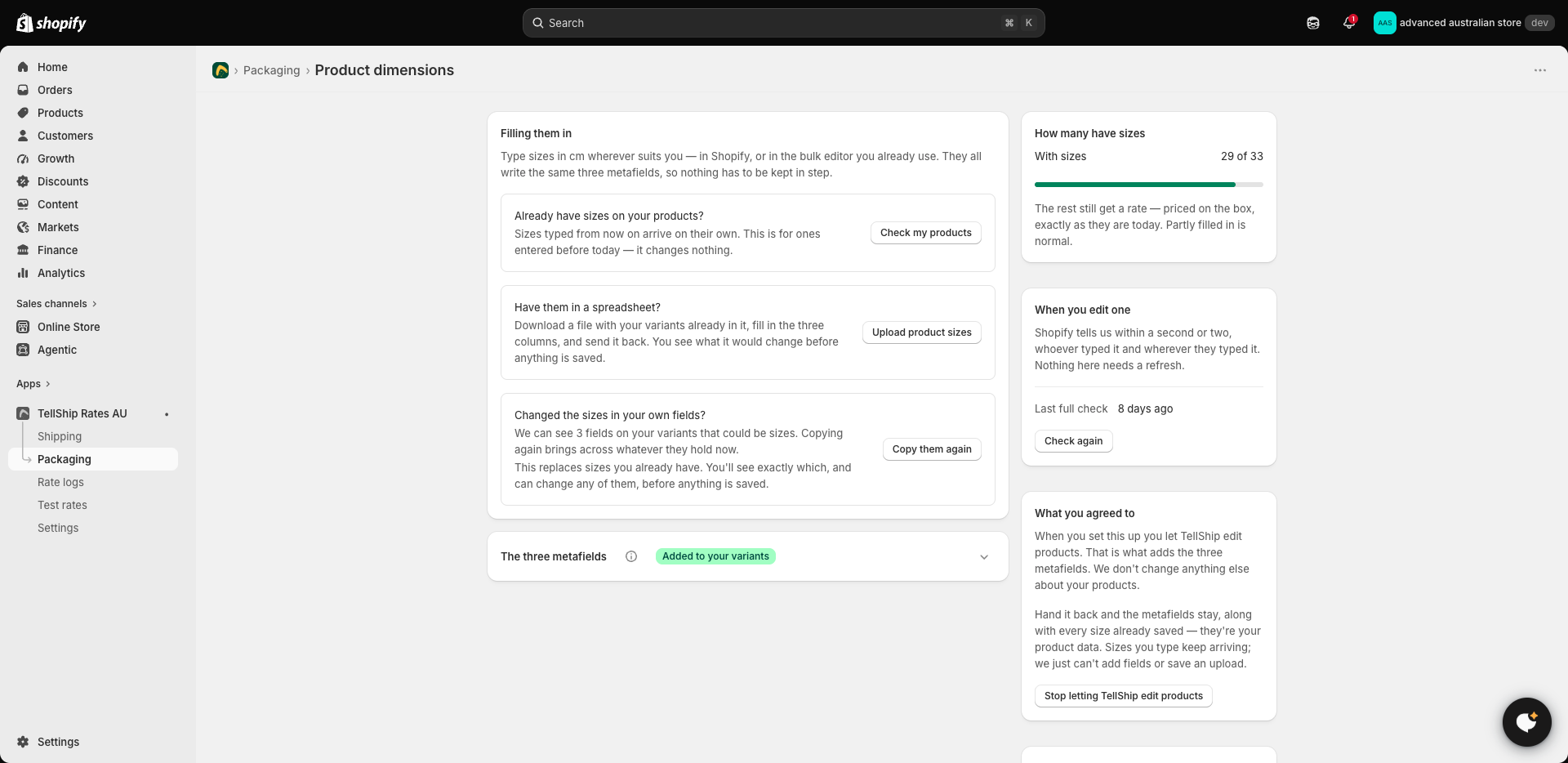
- A spreadsheet. Press Upload product sizes — the file you download already lists your variants; fill the three columns and send it back. You see what it would change before anything is saved.
- Sizes you already typed, before today. New sizes arrive on their own; ones entered before TellShip's fields existed need one press of Check my products — it changes nothing, it only reads.
- Sizes kept in your own fields. If your variants already carry fields that could be sizes, Copy them again brings across whatever they hold now — and shows you exactly what, before anything is saved.
You can also add the three fields as columns in Shopify's own bulk editor and fill a page of variants at a time, like any other product field.
How you know you're done
The same screen keeps count — "29 of 33 variants have a size". Partly filled in is normal: everything without a size still gets a rate, priced on the box exactly as it was before, so measuring is never urgent — see Pack with dimensions for where the sizes pay.
Whose data it is
Setting this up lets TellShip edit products — that is what adds the three fields, and it is the only thing the app changes about them. Hand the permission back and every field and size stays: they are your product data, not the app's.