
A price looked wrong, or a customer saw no shipping at all. Two tools answer this without guesswork, and together they settle almost every case.
Step 1 — Reproduce it on Test rates
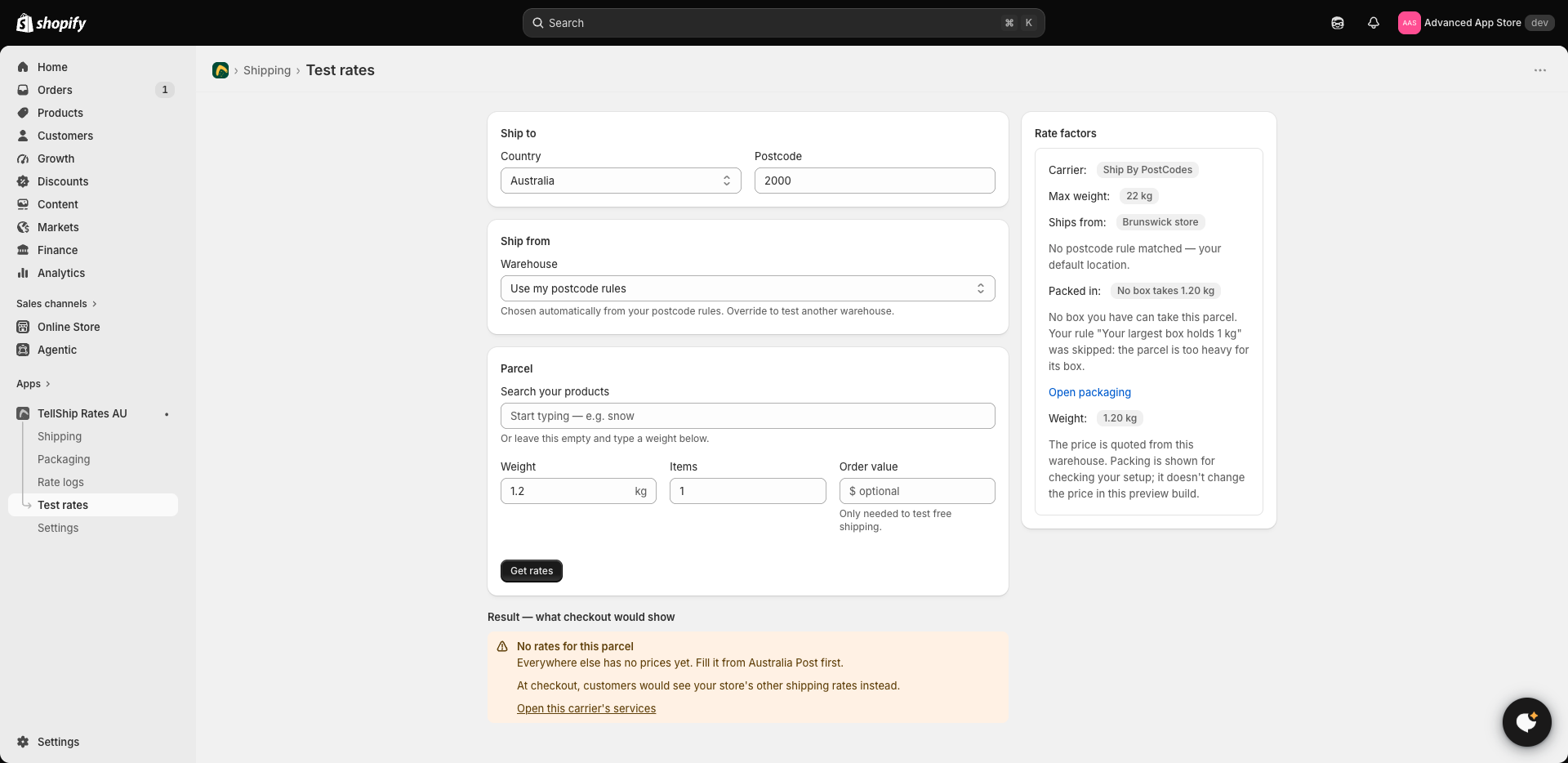
Test rates, in the app's menu, prices a parcel exactly the way checkout does. Put in the same products and the customer's postcode. You'll see every service's price — or the refusal, with its reason, instead of a customer-facing blank.
Step 2 — Read the rate log
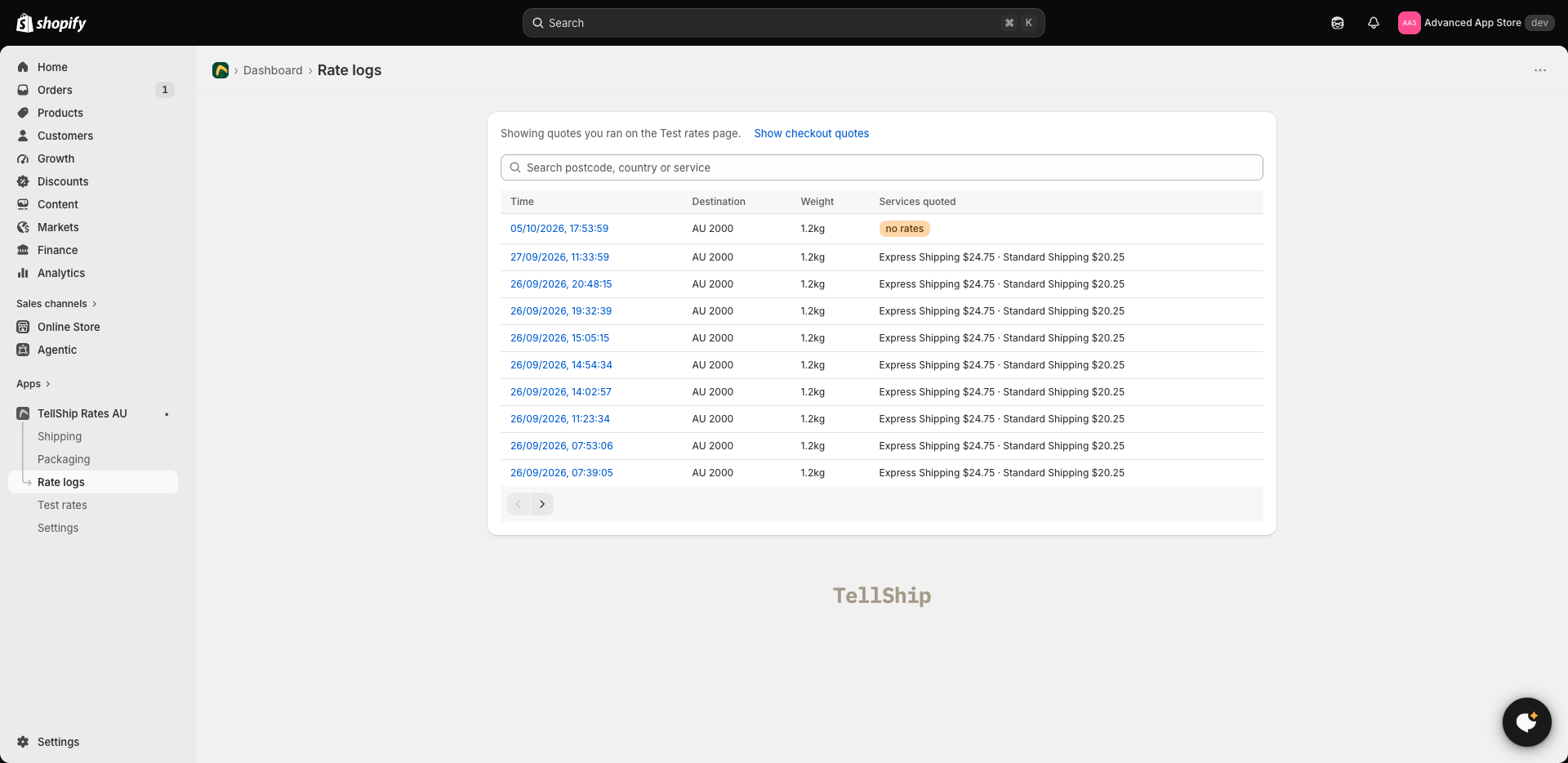
Rate logs keeps every quote the app has answered — what the customer saw, and the services they didn't see, each with the reason it was held back. Find the quote by time or postcode, open it, and read what actually happened rather than reasoning about what should have. Your Test rates quotes are kept too, on their own tab, so you can compare the two.
What the reasons usually are
- "Only the cheapest / fastest rate is shown" — your own setting under Settings, not a failure. The withheld rates are in the log.
- A missing product weight — the quote is real but suspiciously cheap. See Product weights and sizes.
- Too heavy — above 22 kg domestic (2 kg international) nothing is quoted, deliberately. See Parcels over 5 kg.
- Nowhere to ship from — the order's location has no street address in Shopify, or sits outside Australia.
- Nothing logged at all — Shopify never asked. The app isn't on that shipping zone, or the trial ended without a plan. The checklist for that is My rates aren't showing at checkout.
Checking a price against Australia Post
Our prices start from Australia Post's published retail prices, so Australia Post's postage calculator is the independent check: put in the same weight, origin and destination. If the calculator agrees and the checkout price doesn't, the difference is one of your own settings — a markup, rounding, or a renamed service — and the rate log names which.
On published rates instead?
If your prices are written into your shipping settings (Ship By PostCodes), the first suspect is different: a saved change that was never published — see I changed a price and checkout didn't change.