
Two dials shape every price after it is worked out. You do not need either — most stores leave both alone.
A percentage on each service
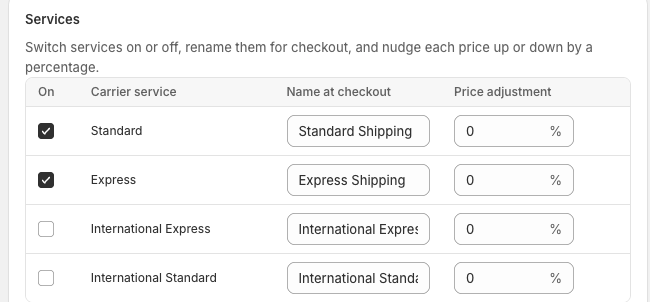
On your carrier's page under Shipping, every service has its own Price adjustment: nudge that service's prices up or down by a percentage. Up covers what shipping really costs you beyond postage — packaging, handling, the trip to the post office — without editing any table; down sells shipping cheaper than it costs you.
It is set per service, so Express can carry a different nudge than Standard — or none at all.
Rounding
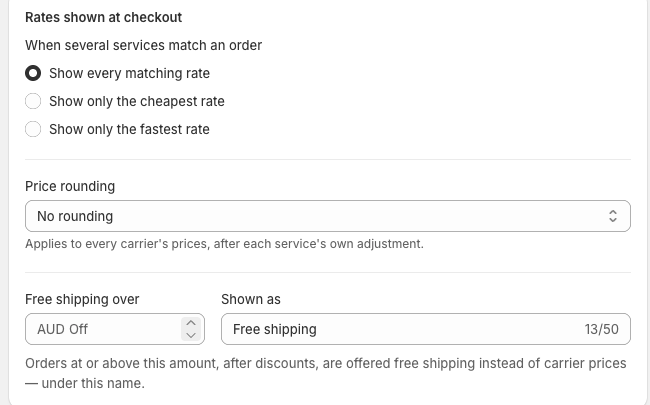
On Shipping, under Rates shown at checkout, every price can be rounded up — to the next whole dollar, or to the next .95 — so a worked-out $12.37 reaches the customer as $13.00 or $12.95. It applies to every carrier's prices, after each service's own adjustment.
When to use them, and when not to
- Both apply across the board. For one zone or one weight band that should cost more, edit that price in its own table instead.
- The adjustment lands on prices you typed as well as prices filled from Australia Post — remember that when a hand-picked number stops being the number the customer sees.