
There are two ways TellShip Rates can price an order, and this is the first: every checkout is priced live. Shopify asks TellShip the moment a customer reaches shipping, and TellShip answers for that exact cart — its real weight, from your real location, to their real postcode — using Australia Post's published retail prices.
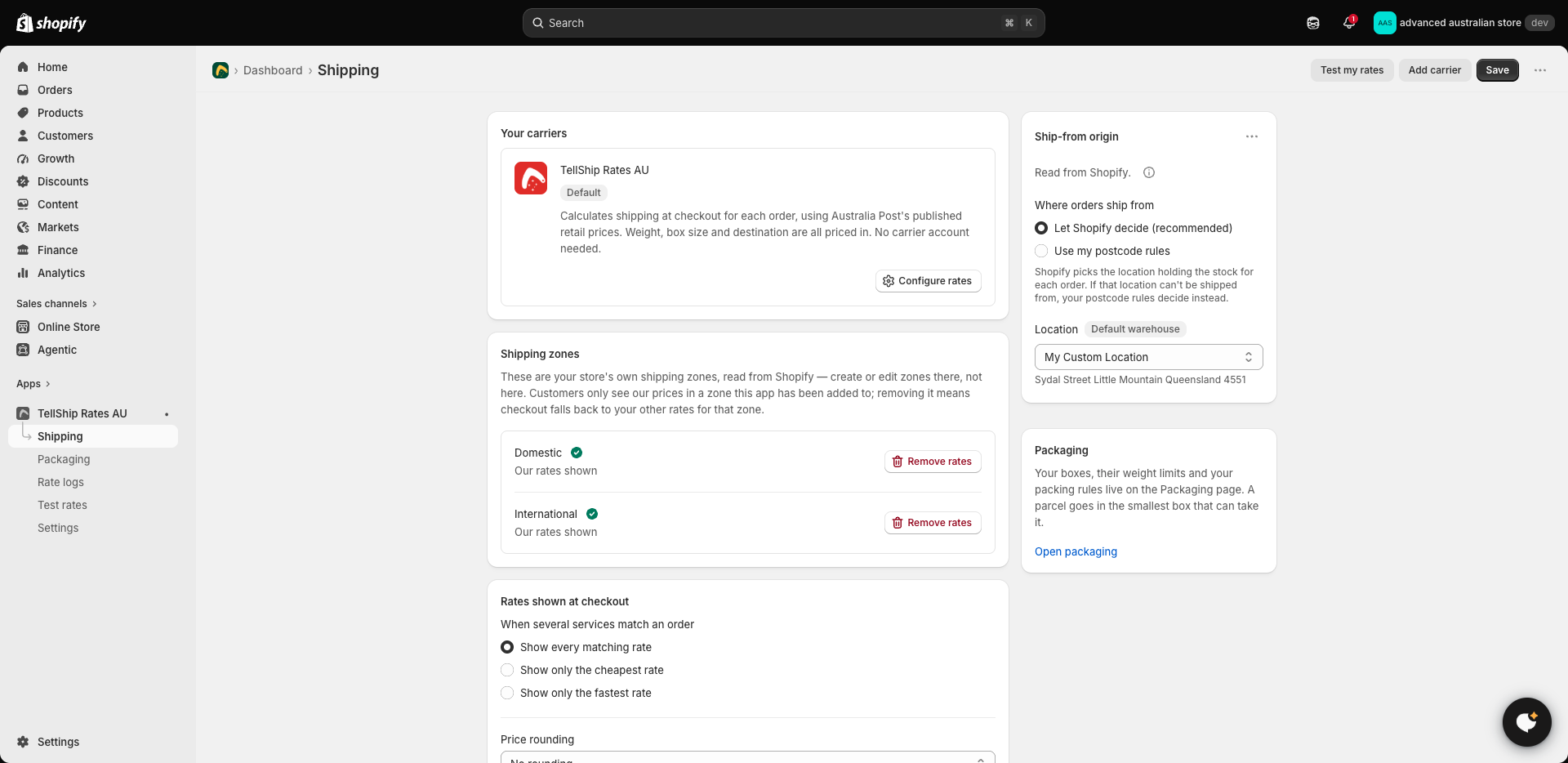
What makes it different from published rates
- Nothing to publish. There is no table of saved prices and no publish step — a settings change is live from the next checkout. If you were looking for the Publish button, you are on this mode and don't have one.
- Every cart is priced on its own. Odd combinations — three heavy items and one bulky one — get a real price, not the nearest band.
- It needs carrier-calculated shipping on your Shopify plan — see Eligibility and Shopify plans. Stores without it use Ship By PostCodes instead, where prices are worked out in advance — see Charging different prices by postcode.
What you control
Everything a customer sees is shaped by you, under Settings:
- Each service — Standard, Express — switched on or off, renamed, or adjusted by a percentage.
- Rounding, applied to every price the same way.
- Show all rates, only the cheapest, or only the fastest.
- Free shipping over a threshold you set, with your own label on it.
Where every price goes
Every quote — what a customer saw, and every service that was held back, with the reason — is kept in Rate logs. That is where a surprising price stops being a mystery; see Figuring out a wrong or missing rate.